
MCP DeskManager
Download MCP DeskManager
Windows 10 and 11. Ten-minute setup: the program creates the tunnel and shows you the address to paste into the assistant.
MCP DeskManager v1 Beta2026-09-27 · 225 MB · Windows 10 / 11, 64 bit
Download for WindowsRelease notes
R10171 - PyArmor obfuscated (obf-code+mix-str).
Step-by-step setup
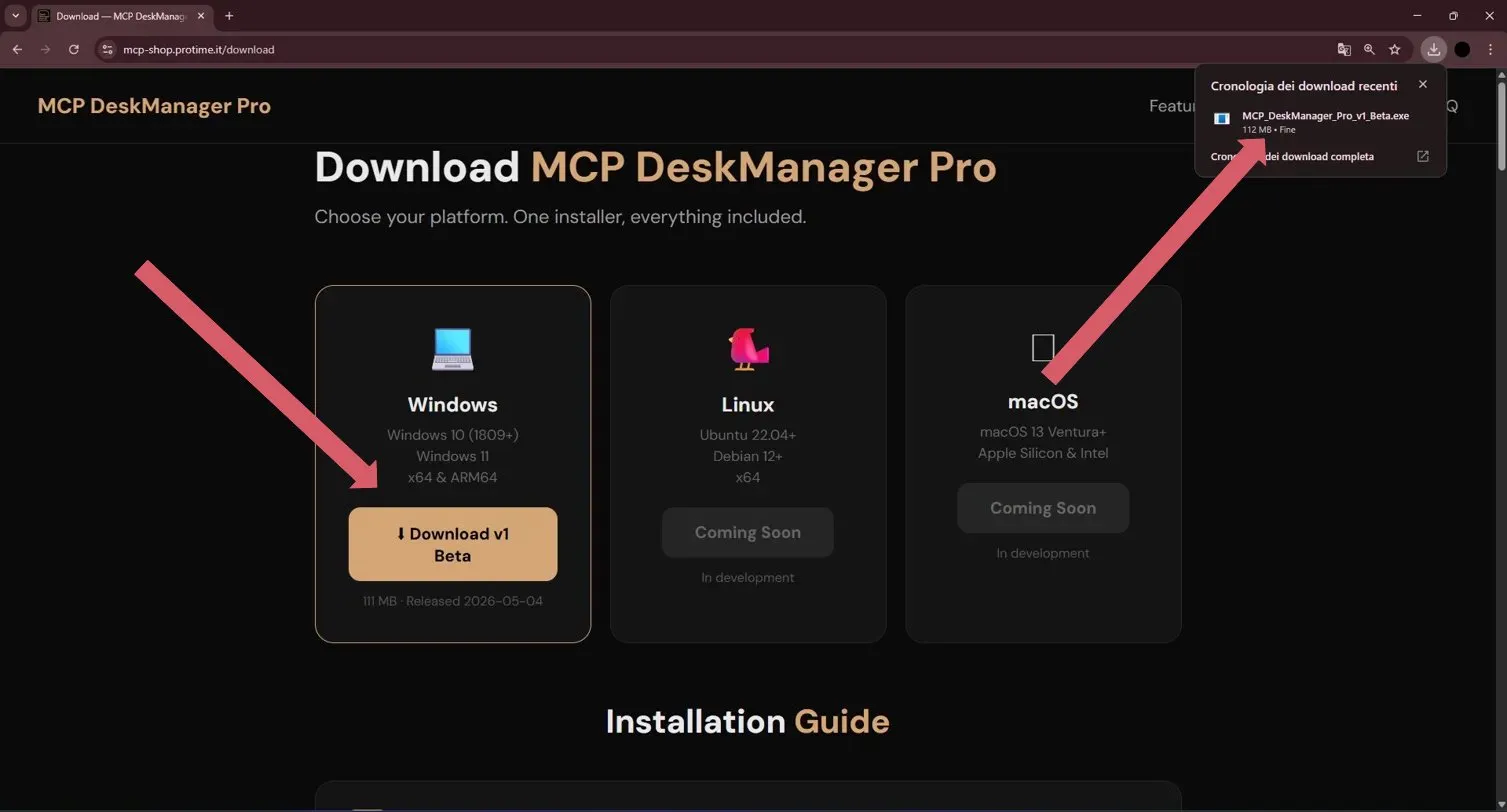
- 1
Run the installer you just downloaded.
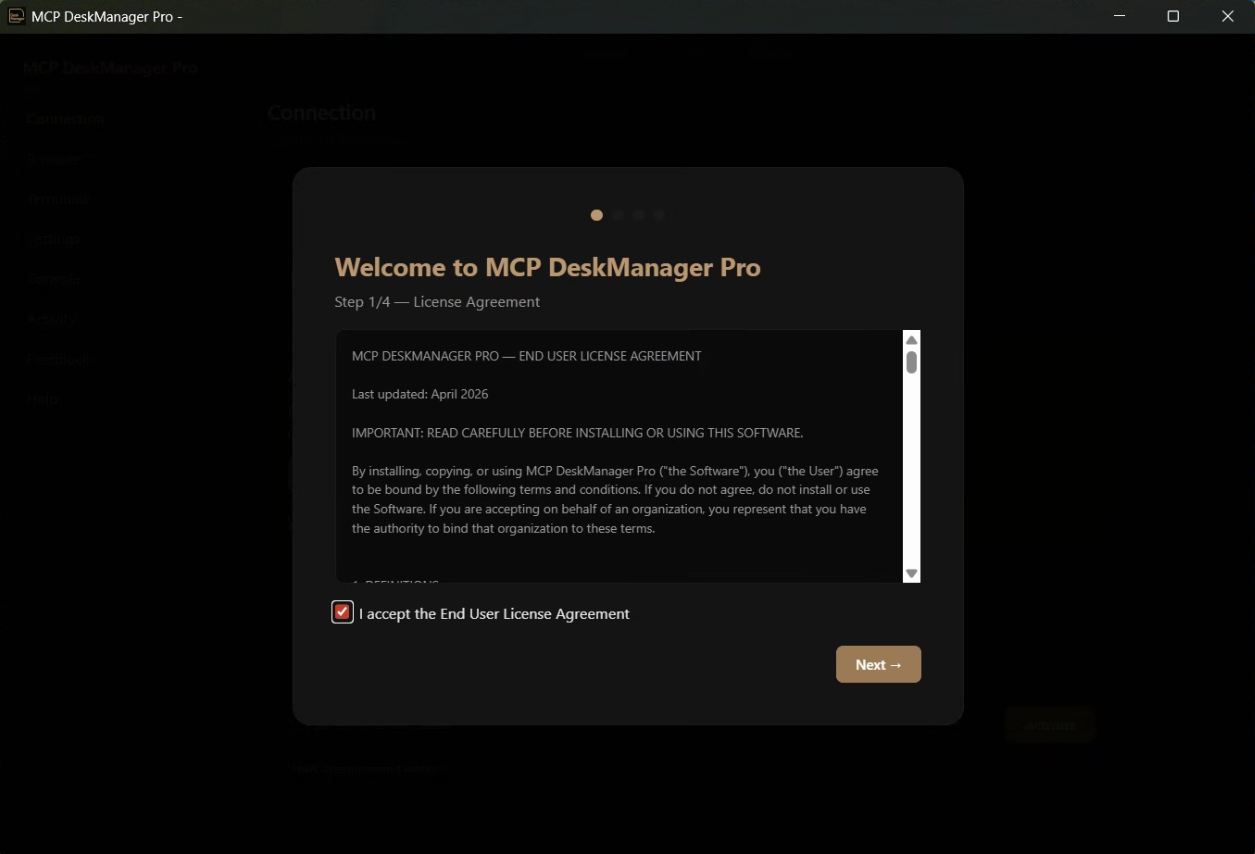
- 2
Read and accept the license agreement.
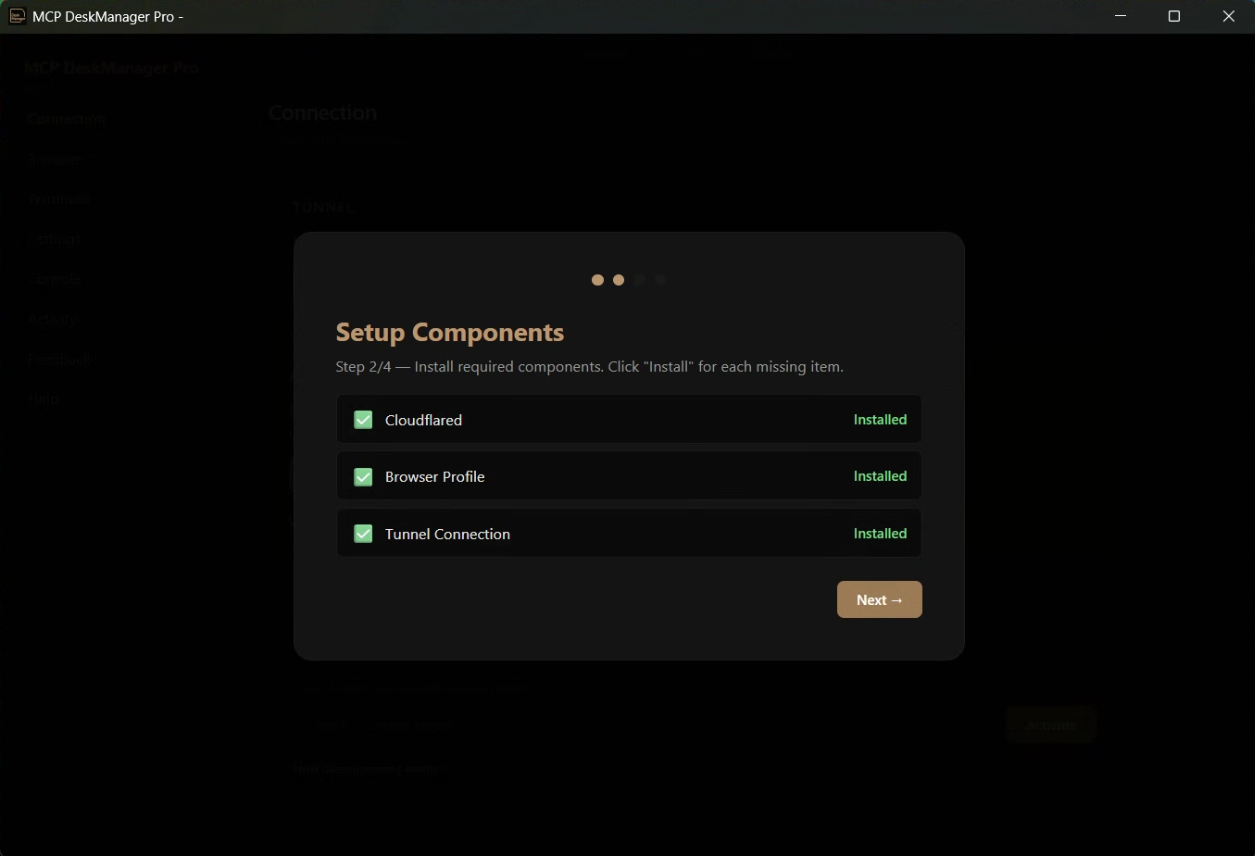
- 3
Let it install the suggested dependencies.
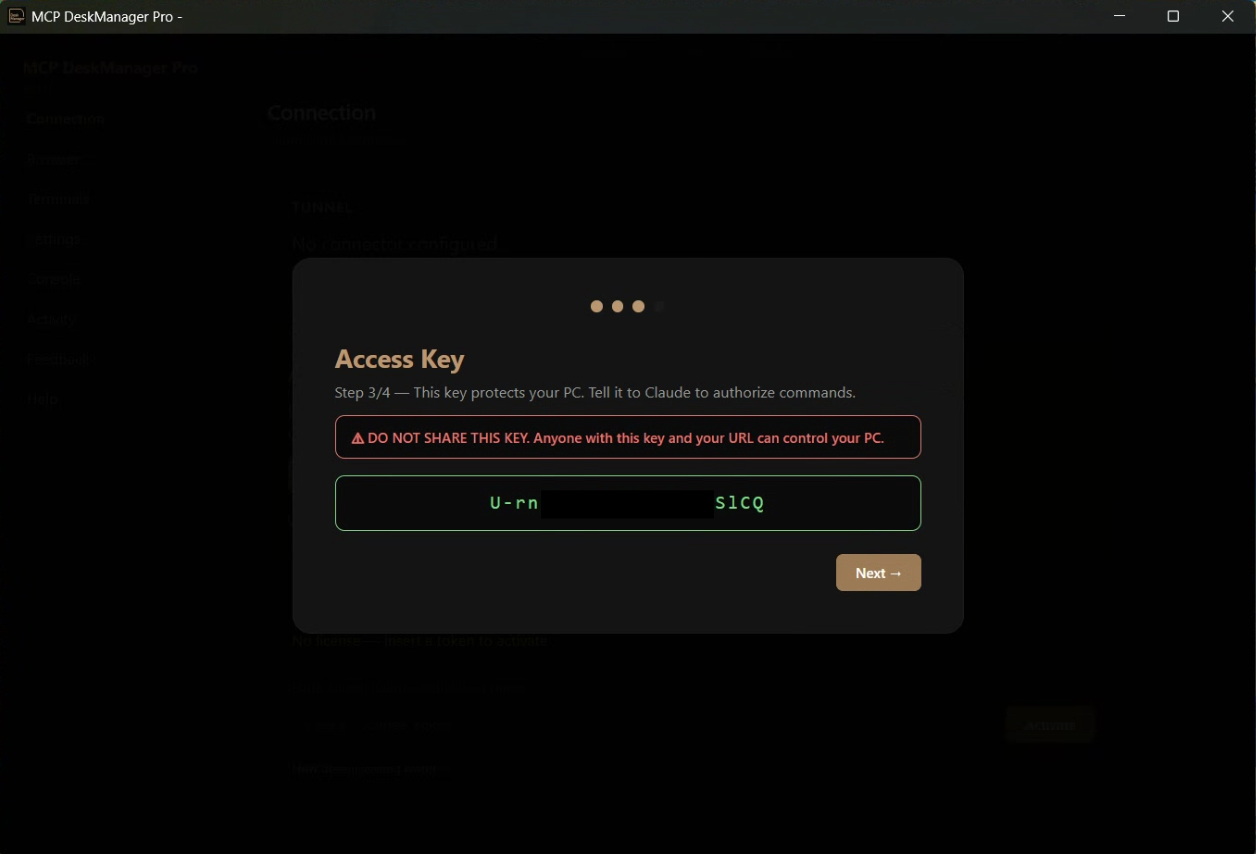
- 4
Enter the license key you received by email.
- 5
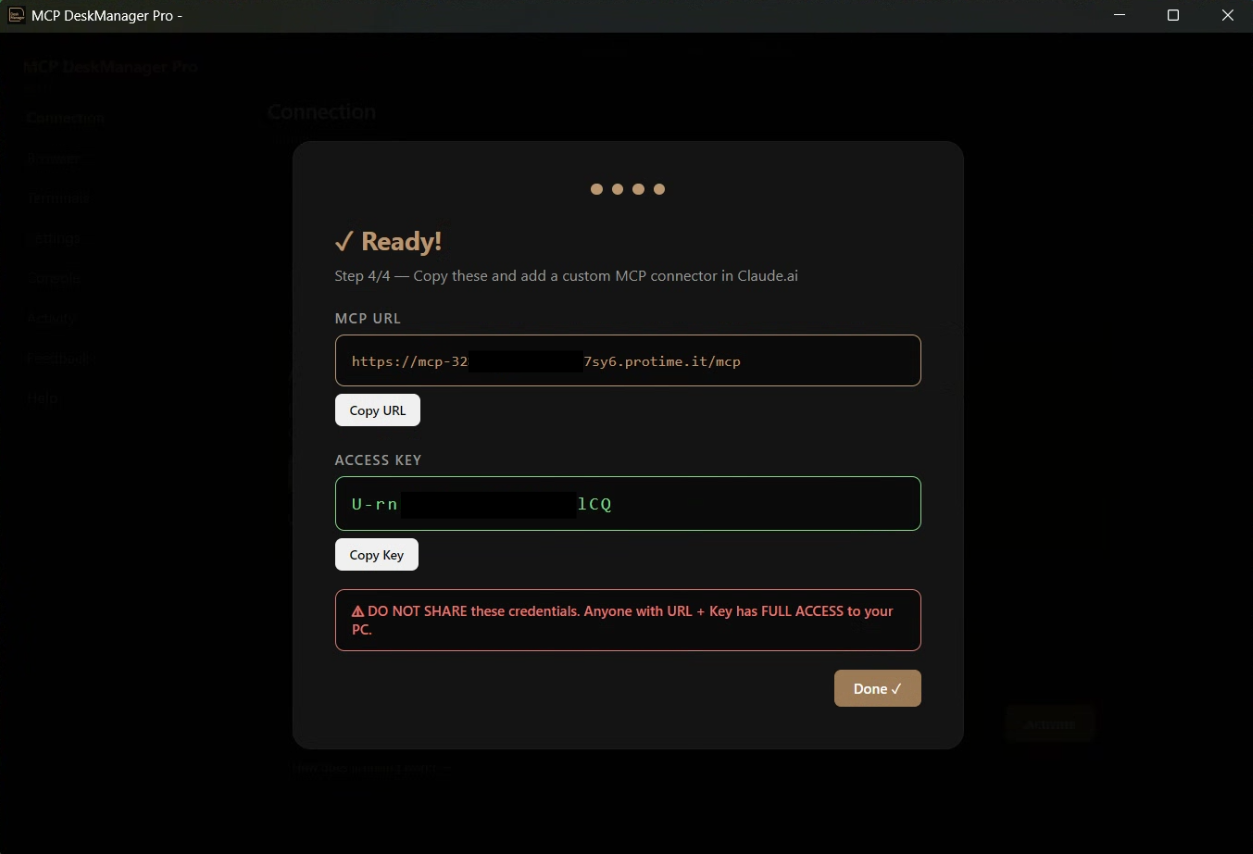
Copy the tunnel address the app shows you.
- 6
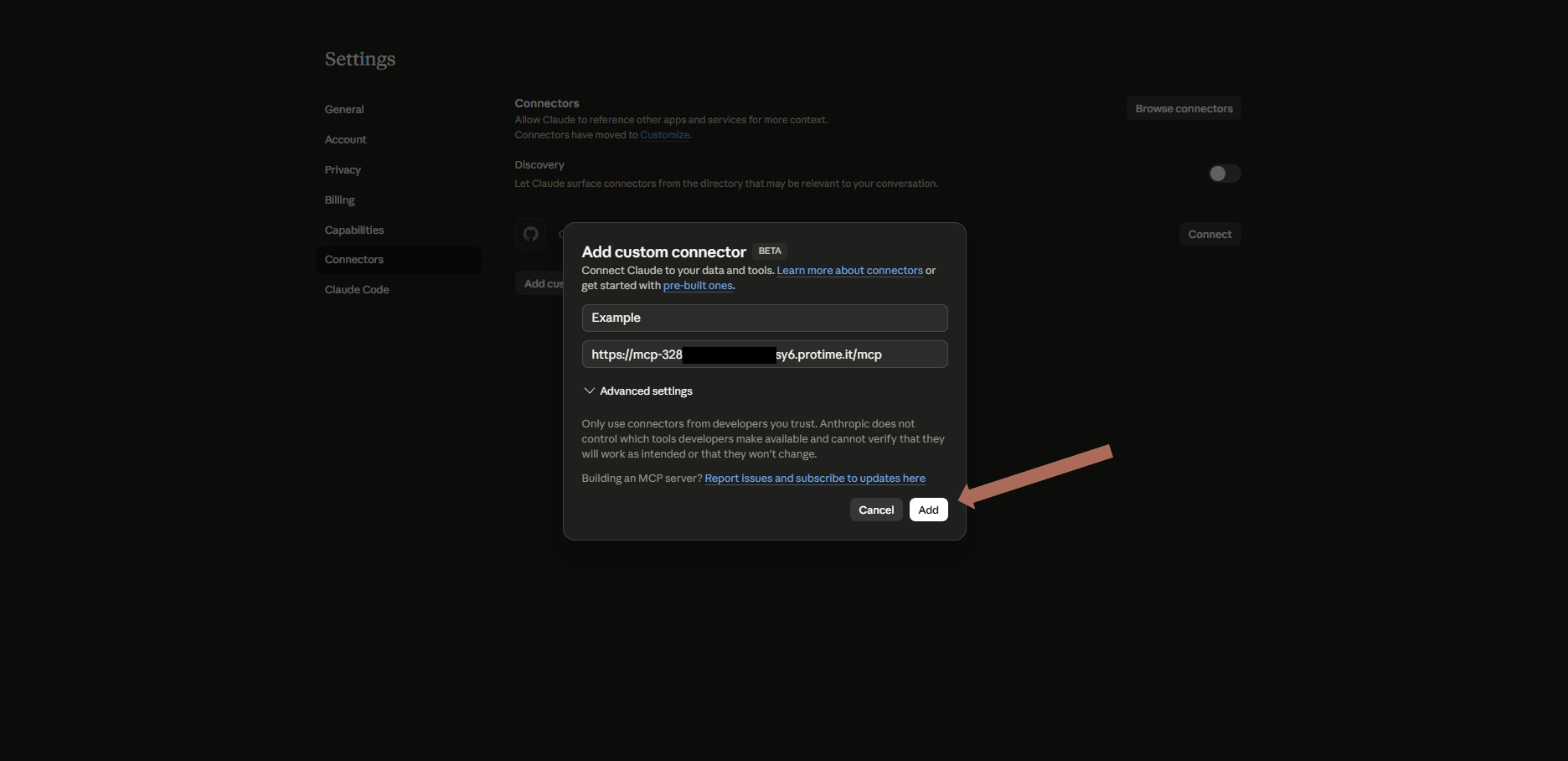
In Claude: Settings → Connectors → Add custom connector, and paste the address.
- 7
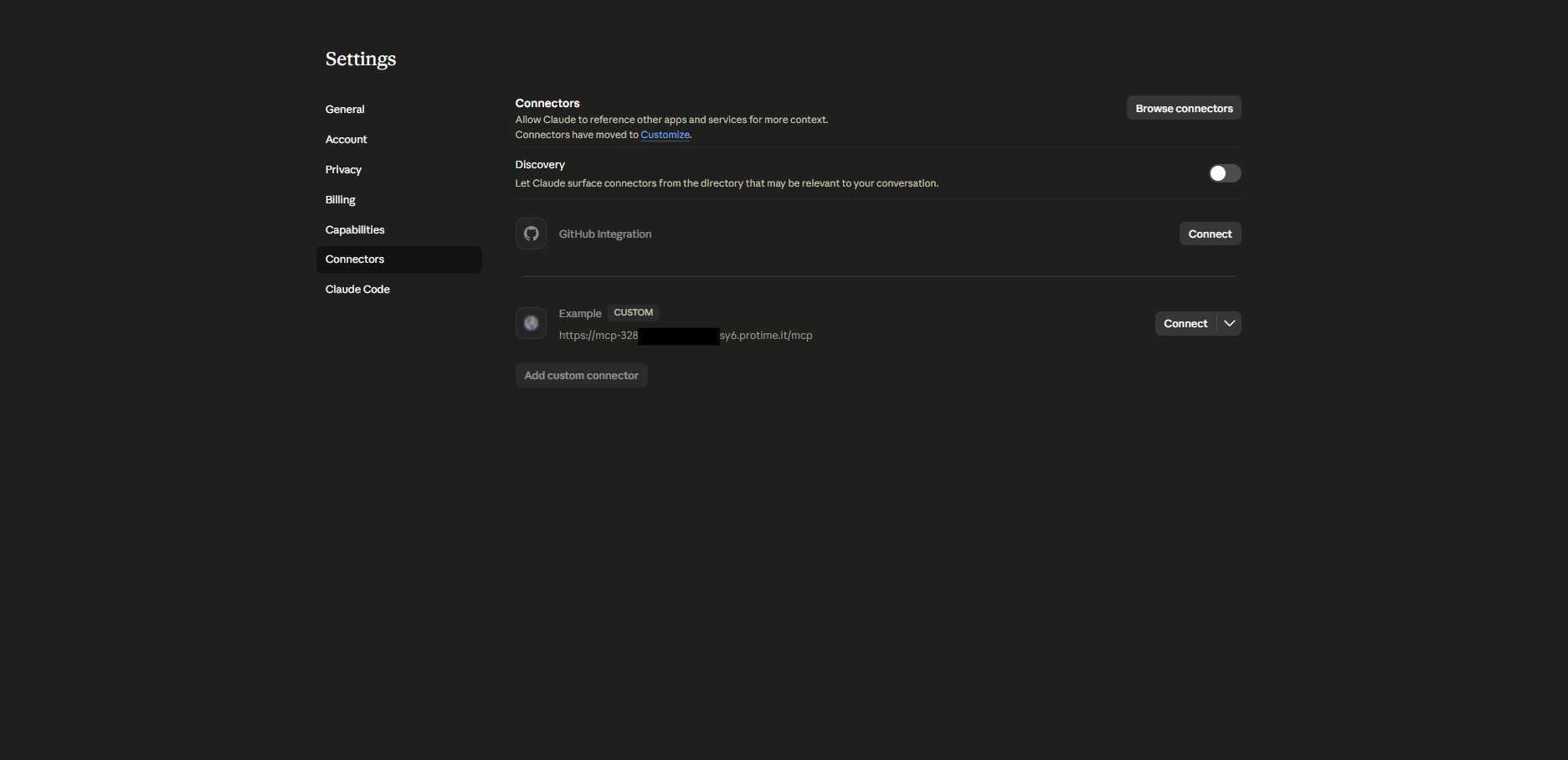
Confirm the connection.
- 8
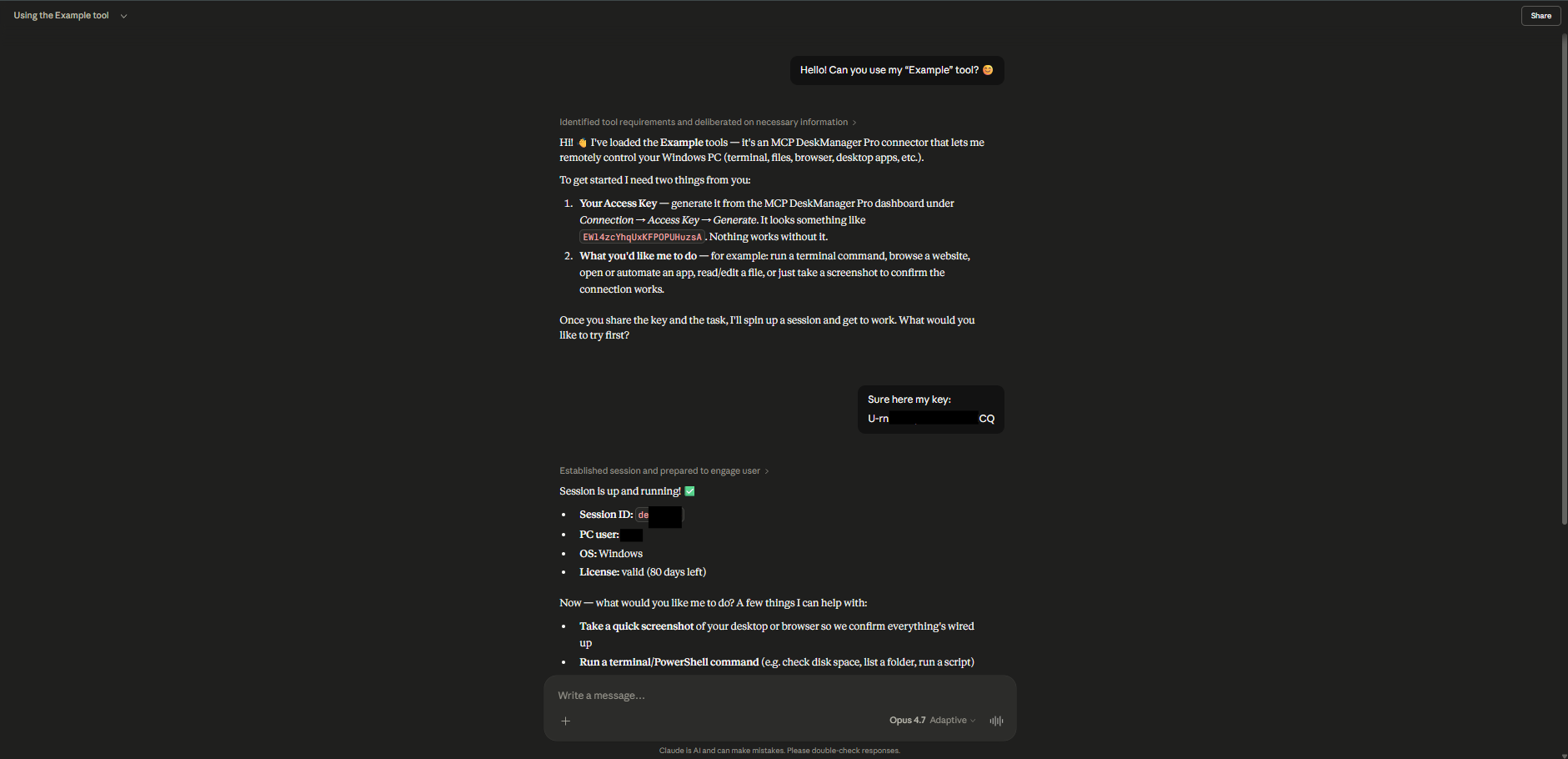
Done: write in the chat and the PC answers.
No license yet?
One-time payment, no auto-renewal: the key reaches your inbox within minutes.
See the plans