
25 min read
MCP server: what it is, how it works and how to use it (2026 guide)
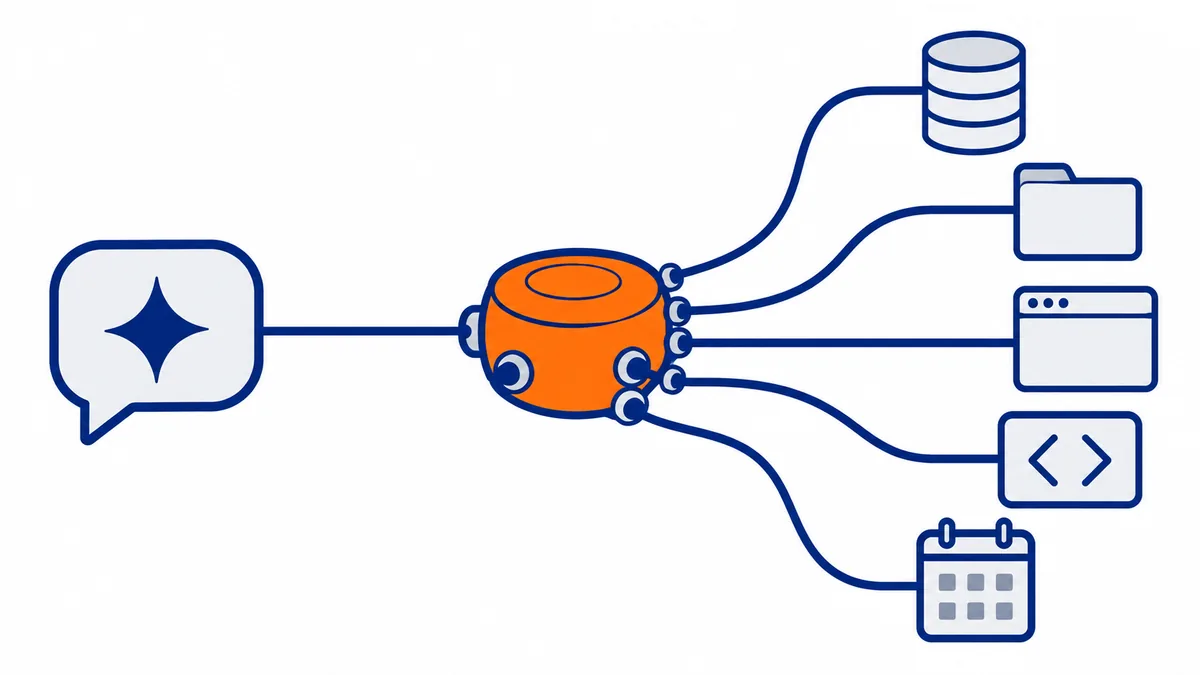
In short: An MCP server is a program that gives an artificial intelligence assistant (Claude, ChatGPT, Copilot, Cursor) the ability to use external tools and data: a database, GitHub, a folder of files, the browser, an entire PC. It talks to the assistant through MCP (Model Context Protocol), an open and free standard born at Anthropic in 2024 and now managed by the Linux Foundation. Once connected, the assistant sees the list of actions the server offers and uses them on its own when needed.
Have a question while reading? Protime's assistant knows this guide: ask it anything that is unclear, or how to apply it to your case.
Ask the assistantThe idea: a single plug for artificial intelligence
MCP does for AI what the USB-C port did for devices: before, every pairing had its own cable, now there is a single port.
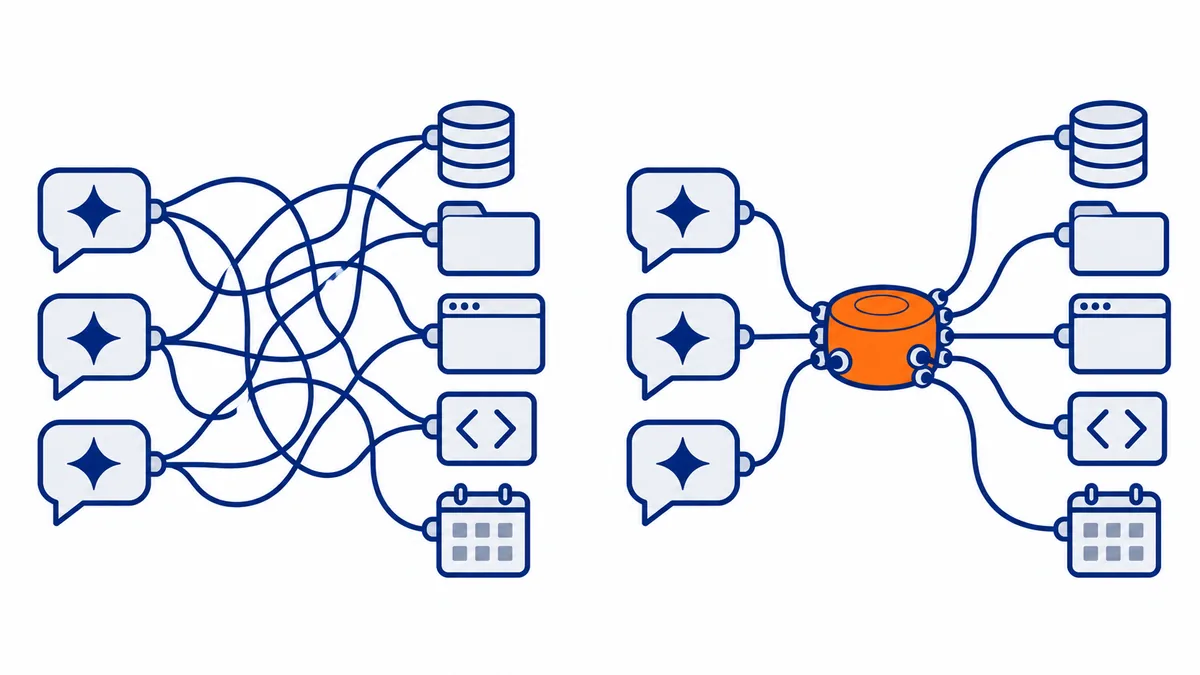
Before MCP, connecting an assistant to a service meant writing a dedicated integration: one for Claude and GitHub, another for ChatGPT and GitHub, yet another for Claude and Slack. With 10 assistants and 100 services, up to 1,000 different integrations were needed.
With MCP, every service writes a single server, and every assistant learns a single protocol. The combinations become 10 + 100: whoever builds a server makes it available to all compatible assistants at once.
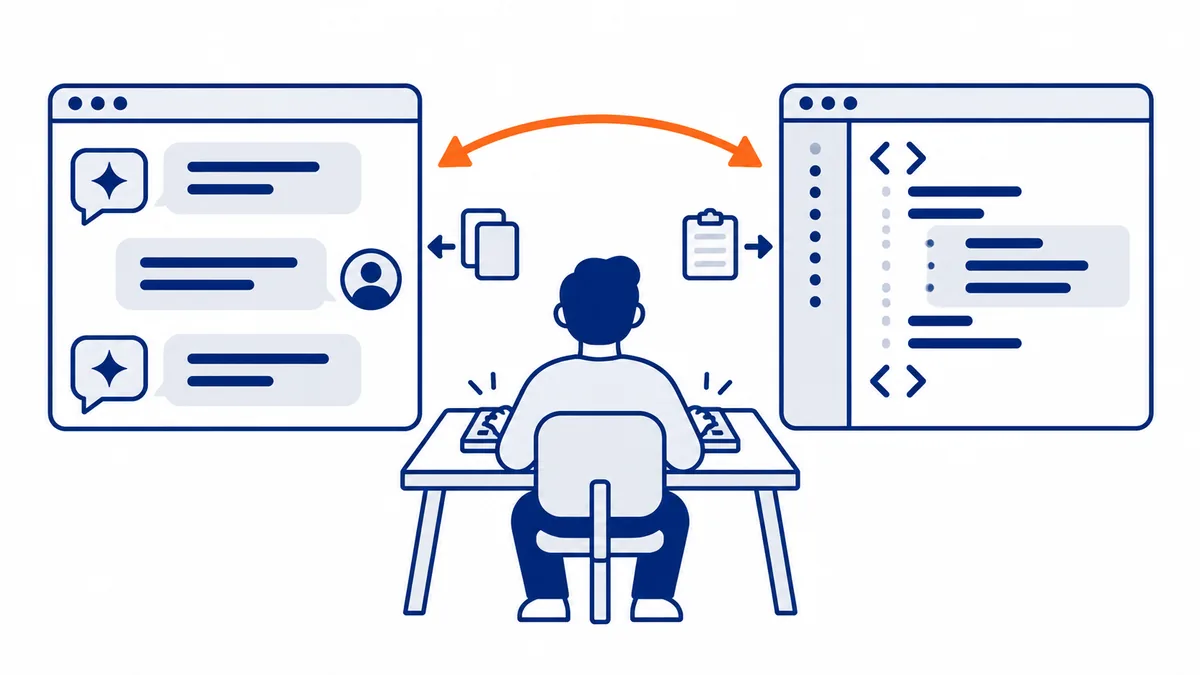
How it was born. The idea came from a daily frustration: David Soria Parra, one of the two creators, spent his days copying and pasting text between Claude Desktop and his code editor. With Justin Spahr-Summers he turned it into a protocol; during a week of internal free projects at Anthropic, in September 2024, almost everyone built an MCP server, including one to control a 3D printer. The public launch, at the end of November 2024, was lukewarm: the most frequent question was "what is MCP?". (Anthropic, The Model Context Protocol)
Why it is open. Whoever builds an integration does not know which AI app will survive: with a closed standard nobody invests. By making it open, Anthropic shifted the competition to what it believes really matters, the intelligence of the model and the workflows built on top, not the number of integrations.
A concrete example of the problem. A company builds a customer assistant that needs to read orders in the database, search the catalog, issue refunds with Stripe, and notify the department on Slack. With two different AI models, 2 × 4 = 8 integrations are needed, each with its own authentication and its own errors; if a third model is added tomorrow, you start over. With MCP, the four services remain four servers, and changing models is a single line of configuration. (TechWorld with Nana)
How it works: host, client, and server
The model never talks directly to the server: between the two there is always the client, which carries the requests and brings back the results.
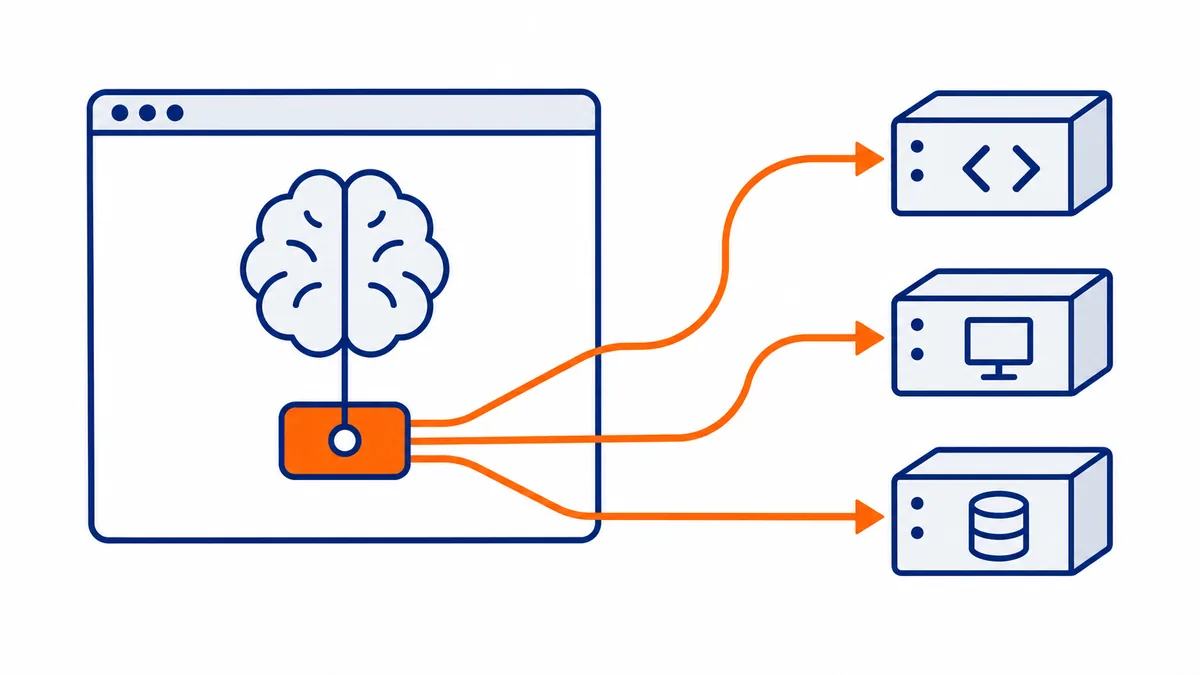
The round trip of a request, in five steps:
- The client asks the server which tools it offers (
tools/list). - The client passes the list to the model: names and descriptions.
- You ask something, and the model decides it needs a tool.
- The client calls it on the server (
tools/call), and the server does the work, usually by calling an API or acting on the computer. - The result goes back to the model, which uses it to answer you or to decide the next step.
What a server offers: tools, resources, and prompts
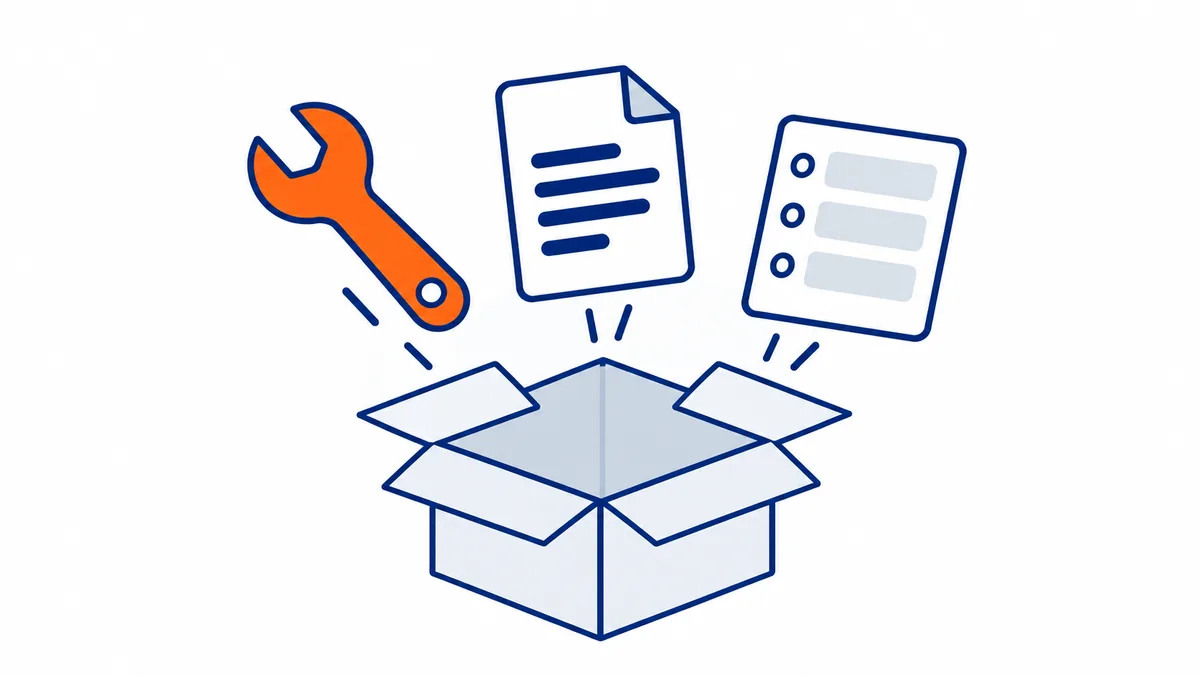
An MCP server can offer three types of things, and the difference lies in who decides to use them.
| What | Who uses it | What it's for | Example |
|---|---|---|---|
| Tools | the model, when it needs them | perform an action | search for an issue, run a command, create an invoice |
| Resources | the application | provide context to read | a file, a price list, a database schema |
| Prompts | the user, by choosing them | start from a ready-made template | "weekly summary", "analyze this error" |
Messages are text in JSON format (the JSON-RPC 2.0 standard). Here's what they look like, simplified, with an imaginary weather server. As of the July 28, 2026 specification, every request carries with it, in the _meta field, the protocol version and the client's capabilities.
1. The client asks which tools are available
{"jsonrpc": "2.0", "id": 1, "method": "tools/list",
 "params": {"_meta": {"io.modelcontextprotocol/protocolVersion": "2026-07-28",
                      "io.modelcontextprotocol/clientCapabilities": {}}}}
2. The server responds with the list: name, description for the model, and the schema of the data the tool expects
{"jsonrpc": "2.0", "id": 1, "result": {"tools": [
  {"name": "meteo_oggi",
   "description": "Today's forecast for a city",
   "inputSchema": {"type": "object",
                   "properties": {"citta": {"type": "string"}},
                   "required": ["citta"]}}
]}}
3. The model decides to use it, and the client calls it
{"jsonrpc": "2.0", "id": 2, "method": "tools/call",
 "params": {"name": "meteo_oggi", "arguments": {"citta": "Como"}}}
4. The server does the work and returns the result, which goes back to the model
{"jsonrpc": "2.0", "id": 2, "result": {
  "content": [{"type": "text", "text": "Como: 18 degrees, clear"}],
  "isError": false}}
A resource is read the same way, by specifying its address:
{"jsonrpc": "2.0", "id": 3, "method": "resources/read",
 "params": {"uri": "file:///documenti/listino.csv"}}
The key point: the model doesn't see code or passwords, it only sees the name and description of the tools. That's why a poorly written description makes a tool useless, and a description written with bad intentions makes it dangerous (see Security).
The rule for choosing among the three. The co-creator calls it the interaction model: the same data can be exposed in three ways, and the choice depends on who should decide when to use it. Prompts are chosen by the user (they usually appear as slash commands, like /summarize, and can suggest values as you type). Resources are used by the application, including for indexing them and doing semantic search, a use he himself defines as still underexplored. Tools are chosen by the model. (Anthropic, MCP 201)
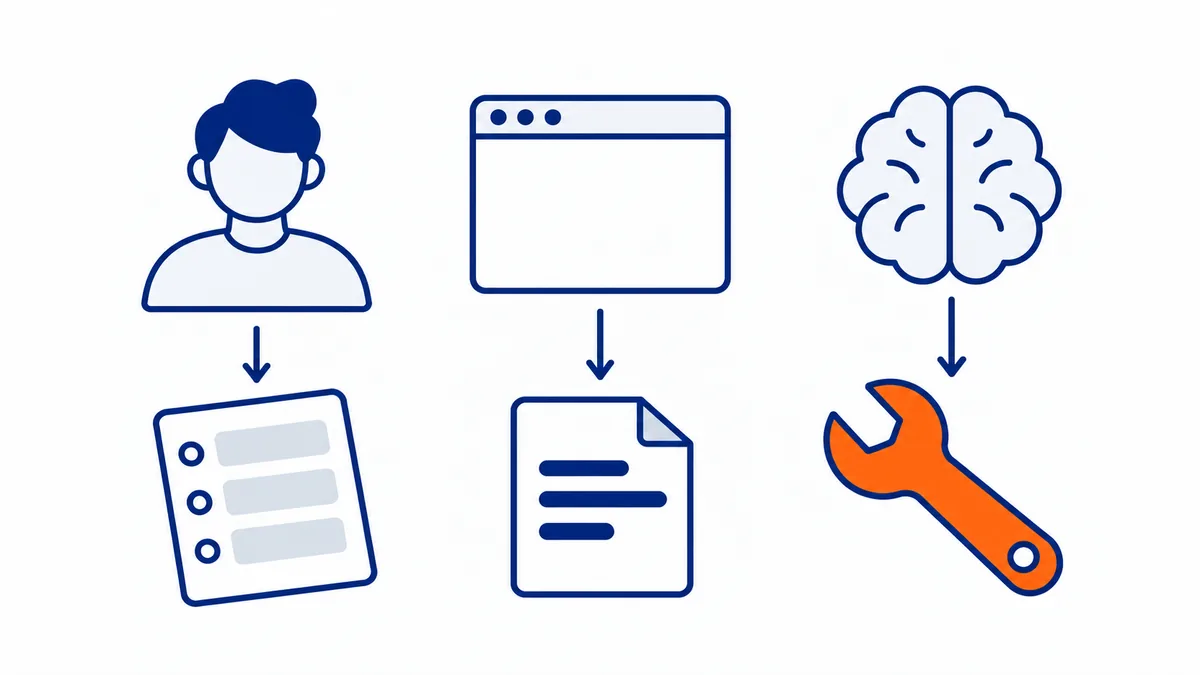
Two things the server can ask the client, almost unknown:
- Sampling: the server asks the model the user has already chosen for a piece of reasoning. A server that needs to summarize a discussion doesn't need its own API key: it uses the user's subscription, who remains in control of costs and privacy.
- Roots: the server asks which project folders are open in the editor, so it can work only there.
With the July 2026 specification, these requests, along with those for user confirmation (elicitation), go through the multi-step request mechanism described further on.
MCP Apps. A server can also bring along its own graphical interface, which works identically inside Claude, ChatGPT, VS Code, and Cursor: the user operates it with their hands, the model with the tools of the same server. This is a recent extension and only apps with a web interface show it. (David Soria Parra, The Future of MCP)
Local and remote servers
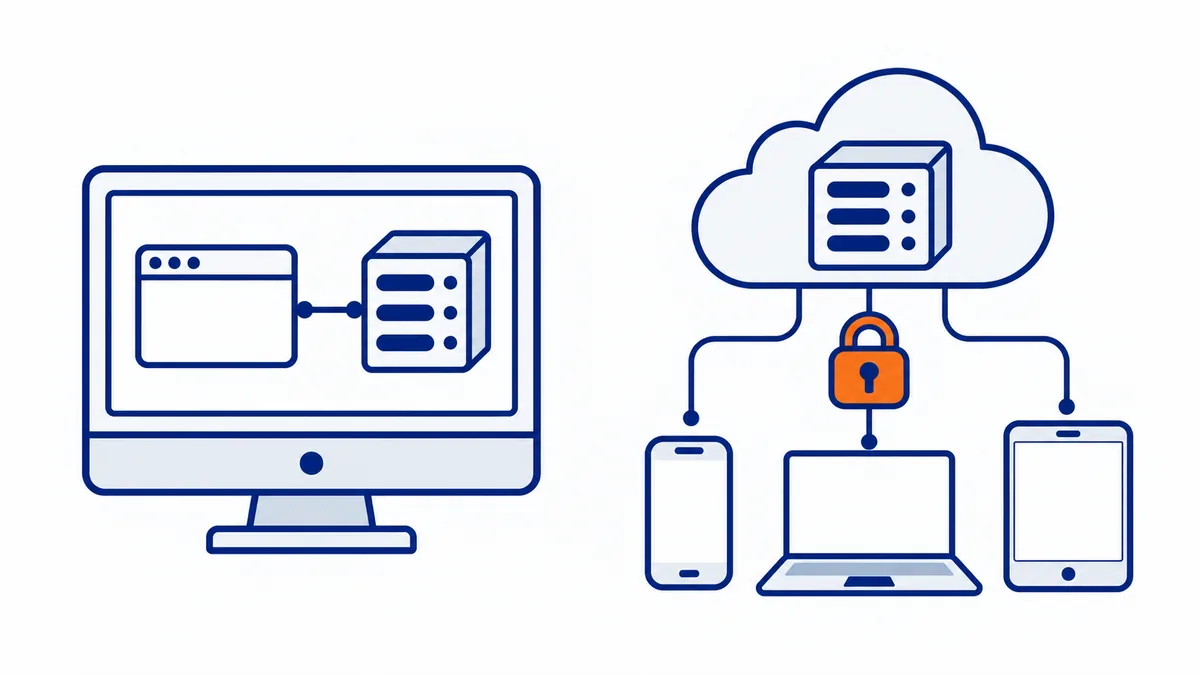
A local server runs on your computer and talks only to the app installed there; a remote server is reachable from the internet and can be used from any device.
| Local | Remote | |
|---|---|---|
| Where it runs | on the same PC as the app | on a server or another computer, reachable over HTTPS |
| How it communicates | stdio: the app starts it and talks to it directly | HTTP ("Streamable HTTP") |
| Access | none from outside | authentication, usually OAuth |
| Where you use it from | only from that app on that PC | Claude on the web and on your phone, ChatGPT, any compatible client |
| Typical for | developers, tools on your own PC | online services, companies, use from multiple devices |
A local server in Claude Desktop is added with an extension (one click) or manually, in the claude_desktop_config.json file. This example gives Claude access to a folder with the official filesystem server:
{
  "mcpServers": {
    "documenti": {
      "command": "npx",
      "args": ["-y", "@modelcontextprotocol/server-filesystem", "C:\\Users\\Mario\\Documenti"]
    }
  }
}
A remote server, on the other hand, is not configured in any file: you paste its address as a custom connector in the assistant's settings, for example https://mcp.esempio.com/mcp, and confirm access.
There is also a middle ground: a server that runs on your PC but is reachable remotely through an encrypted tunnel, as MCP DeskManager does. It combines access to your computer with use from any chat.
Why remote is the future. By mid-2025 the vast majority of existing servers were local. Remote changes the trust relationship: instead of running a program written by a stranger on your PC, you connect to mcp.ilmiofornitore.com of a company you already trust with your data, which updates it without you downloading anything. In a company the server sits on the internal network and you log in with the same single sign-on (SSO) as all the other applications. (Anthropic, MCP 201)
A remote server on your PC, without configuring tunnels and certificates. MCP DeskManager runs on your Windows and makes it reachable from Claude and ChatGPT through an encrypted tunnel with OAuth: you copy an address and paste it into the connector.
Discover MCP DeskManager Download itHow you get into a remote server: authentication
A remote server protects itself with OAuth, the same system behind "Sign in with Google" buttons: the assistant never receives your password, but a limited permission you can revoke.
The best analogy is the hotel key card: at the front desk you show your ID and receive a card that opens your room and the gym, not every door. The card represents an access, not your identity, and you don't need to know what's written inside it: the door just needs to be able to read it. The OAuth token works like that. (Aaron Parecki, Okta)
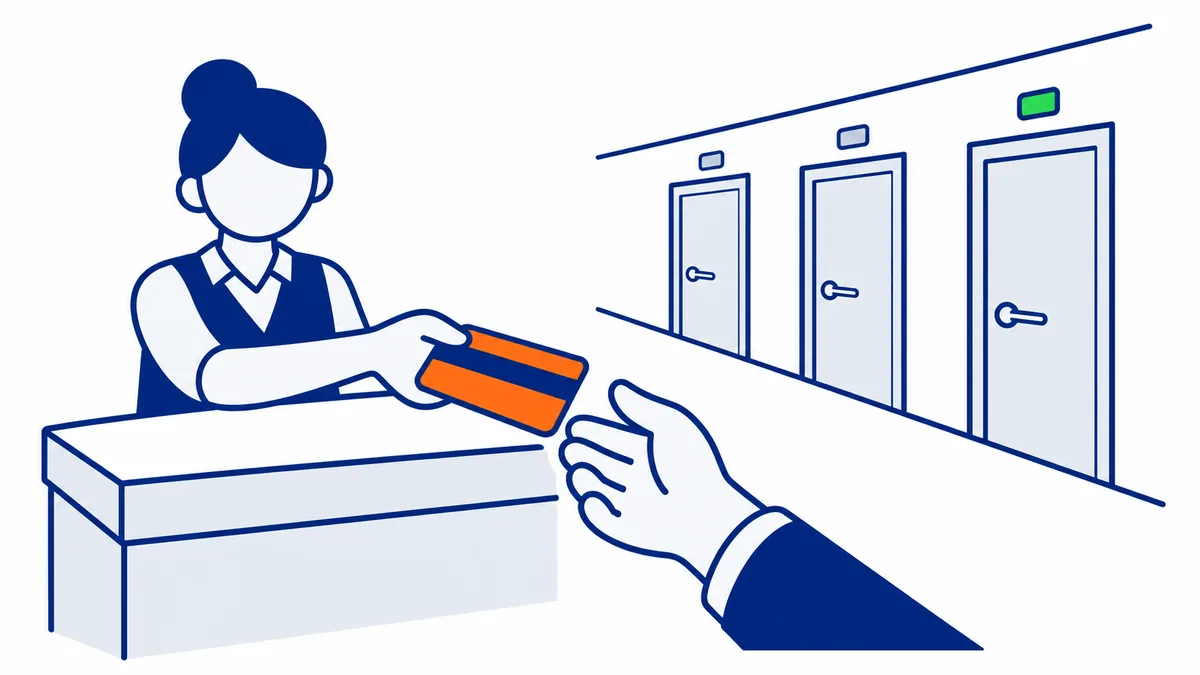
Three steps in MCP's history explain how it works today:
- MCP server and authorization server separated. In the March 2025 spec, anyone writing an MCP server also had to handle all of OAuth. Since June 2025 the roles are separated: access is managed by a real identity service, and the MCP server just verifies the token it receives.
- The address is enough. A recent OAuth standard (Protected Resource Metadata) lets the server indicate where its authorization service is: that's why in Claude or ChatGPT you just paste the URL and the rest configures itself.
- From DCR to CIMD. To make any client talk to any server without prior agreements, dynamic client registration (DCR) was used, but in practice many servers restricted it to their partners' domains, and the system wasn't truly open. The co-creator admits that the first version of the authentication "got it wrong." The solution, written with Aaron Parecki, is that the client identifier becomes a web address with its data (CIMD): the July 2026 spec makes it the main path. (AAIF, Why didn't DCR work for MCP?)
In the enterprise there's an additional problem: if the assistant needs to connect to twenty applications, the employee has to authorize them one by one and IT doesn't see any of these connections. The direction taken (cross-app access) puts the corporate identity system in the middle: you authenticate once in the morning, and every server recognizes you without further clicks.
How to use it with Claude, ChatGPT, Cursor and VS Code
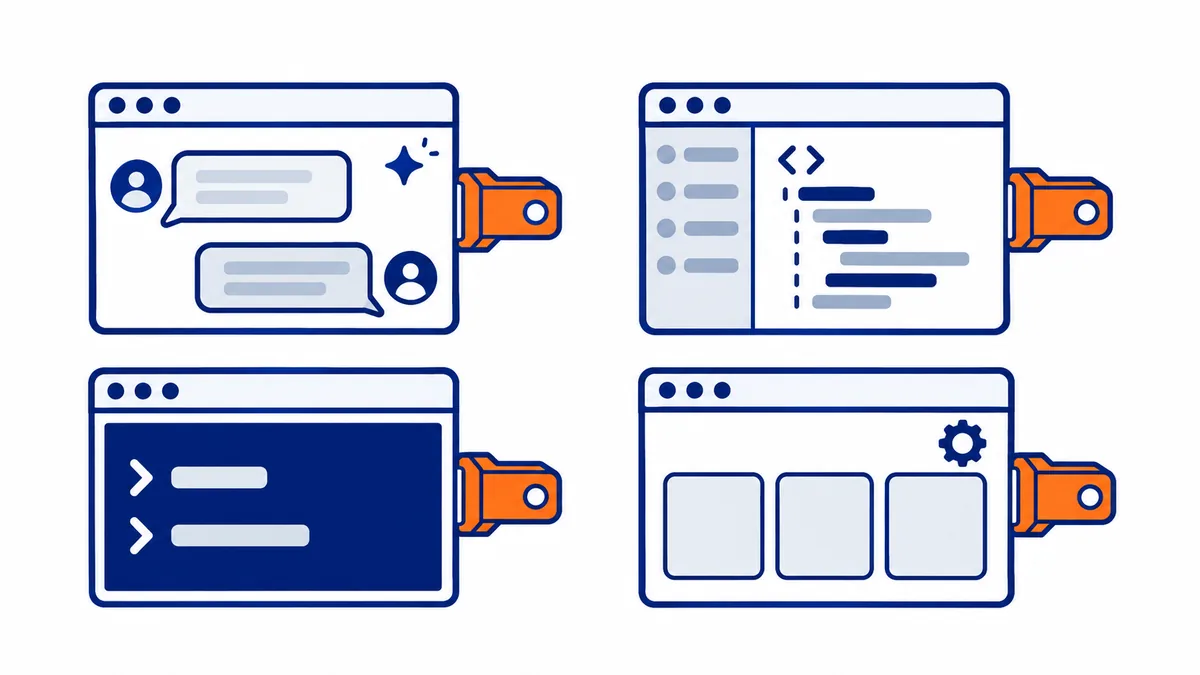
Every compatible assistant has a place where you add servers; the menu name and which server types it accepts change.
| Assistant | Where you add it | Accepted servers |
|---|---|---|
| Claude (web, desktop, phone) | Customize → Connectors → + Add → Add custom connector | remote; the connector applies to the whole account |
| Claude Desktop | Settings → Extensions (.mcpb extensions, one click) or claude_desktop_config.json |
local |
| ChatGPT | settings, enabling developer mode, then connectors | remote HTTPS only |
| Cursor, VS Code | project or editor MCP configuration file | local and remote |
| Claude Code and other terminal agents | configuration command or project file | local and remote |
Claude and MCP. Claude is the first assistant born with MCP and the one that supports it in the most forms: remote connectors work on the web, in the desktop app and on the phone, while extensions bring local servers into Claude Desktop without installing anything by hand. Anthropic also maintains a directory of ready-made, verified connectors. Two details from the official guides: Claude Desktop extensions are now called MCP Bundles (.mcpb files, previously known as DXT), and connections to remote servers start from Anthropic's servers, not from your computer: a remote server must be reachable from the internet even if you use Claude Desktop.
ChatGPT and MCP. ChatGPT connects only to servers reachable from the internet, because it calls them from its own computers: a local server started on your PC for ChatGPT does not exist. Developer mode allows actions that change things, not just reads. Apps built for ChatGPT with the Apps SDK are now called Plugins, and to connect a server on a private network to the OpenAI API, OpenAI offers a Secure MCP Tunnel.
Menus change names often: the paths in the table are those of October 2026.
How many servers should you connect? It depends on how similar they are: three ticket managers connected together confuse the model, which doesn't know which one to choose; a ticket manager, a database and a calendar coexist without problems. A few well-distinct servers are better than many overlapping ones. (Anthropic, The Model Context Protocol)
The context problem, and how apps solve it. Every connected tool takes up space in the model's memory with its name and description. The most advanced apps use two techniques (David Soria Parra, The Future of MCP):
- progressive loading (tool search): the model sees tools only when it searches for them, instead of having them all in front of it from the start; in Claude Code it has greatly reduced the space used;
- programmatic calls (code mode): instead of calling ten tools one after another, the model writes a small program that combines them and runs it in a protected environment, with fewer waits and lower costs.
Your PC in any chat, even from your phone. With MCP DeskManager, Claude and ChatGPT use the terminal, files, browser and programs on your computer from claude.ai, from the app or from ChatGPT.
Discover MCP DeskManager How to install itWhat you can do with MCP today
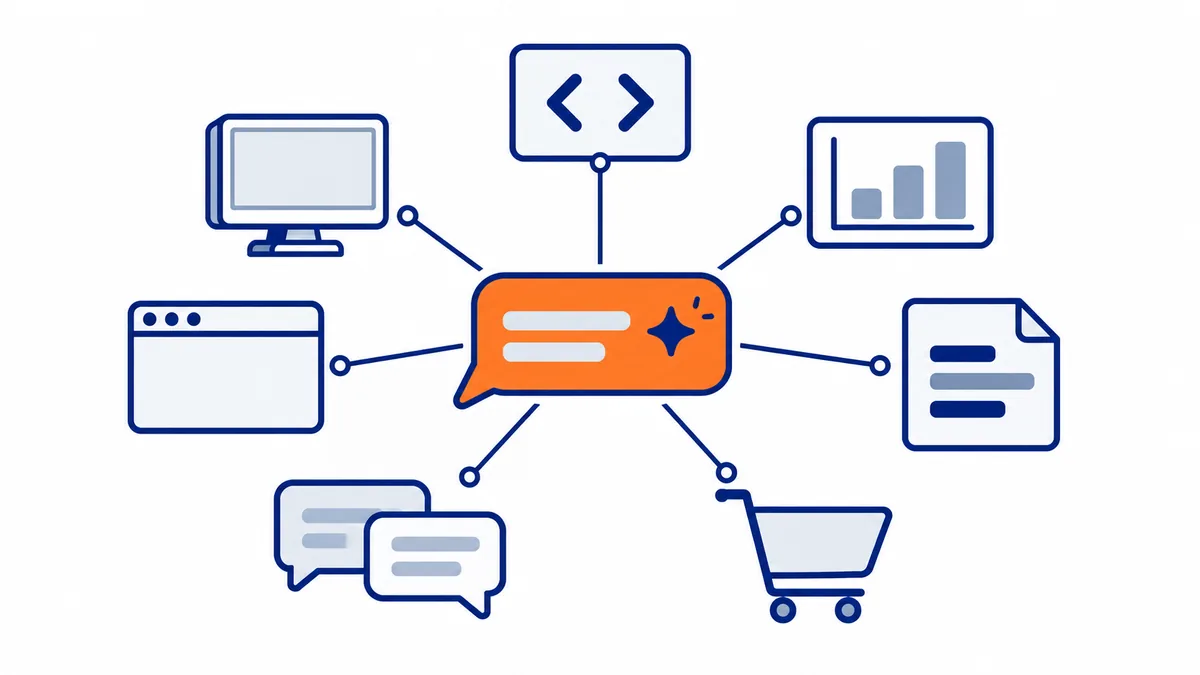
Today almost every service used by people who work on a computer has an official or community MCP server: the assistant stops being a chat and becomes someone who gets things done.
| Area | What the assistant does | Example servers |
|---|---|---|
| Software development | reads code, opens and comments on issues and pull requests, checks errors in production | GitHub, Sentry |
| Data and databases | queries the database in natural language, prepares reports | Postgres, Supabase |
| Documents and knowledge | searches and updates company pages and documents | Notion, Confluence, Google Drive |
| Communication | reads and sends messages, summarizes channels | Slack, email |
| Projects and tickets | creates and updates tasks, moves tickets | Jira, Linear, Asana |
| Design | reads design files and turns them into code | Figma |
| Payments and sales | checks revenue, customers, subscriptions | Stripe |
| Browser | navigates, fills out forms, extracts data from websites | Playwright, Chrome |
| Cloud and infrastructure | manages cloud resources, DNS, deployments | Azure, Cloudflare, AWS |
| The computer itself | uses files, terminal, programs and browser on the PC | Windows 11 (native MCP registry), MCP DeskManager |
The power lies in combinations: "read the error on Sentry, find the spot in the code on GitHub, open an issue and notify me on Slack" becomes a single request, executed with three different servers.
One server, thousands of tools. You don't need a server for every service: Zapier offers a single one with over 5,000 tools, and many companies build one internal server that gathers all their systems. A rarely mentioned advantage: company rules live in the server and not in the model instructions, for example "staging services can only be restarted after 6 PM." (TechWorld with Nana)
A real case: Uber. Uber explained at the MCP Dev Summit 2026 how it uses MCP in production (AAIF):
| Metric | Value |
|---|---|
| Engineers | over 5,000, more than 90% use AI agents every month |
| Internal services | over 10,000 |
| Active internal agents per month | over 1,500 |
| Executions per week | over 60,000 |
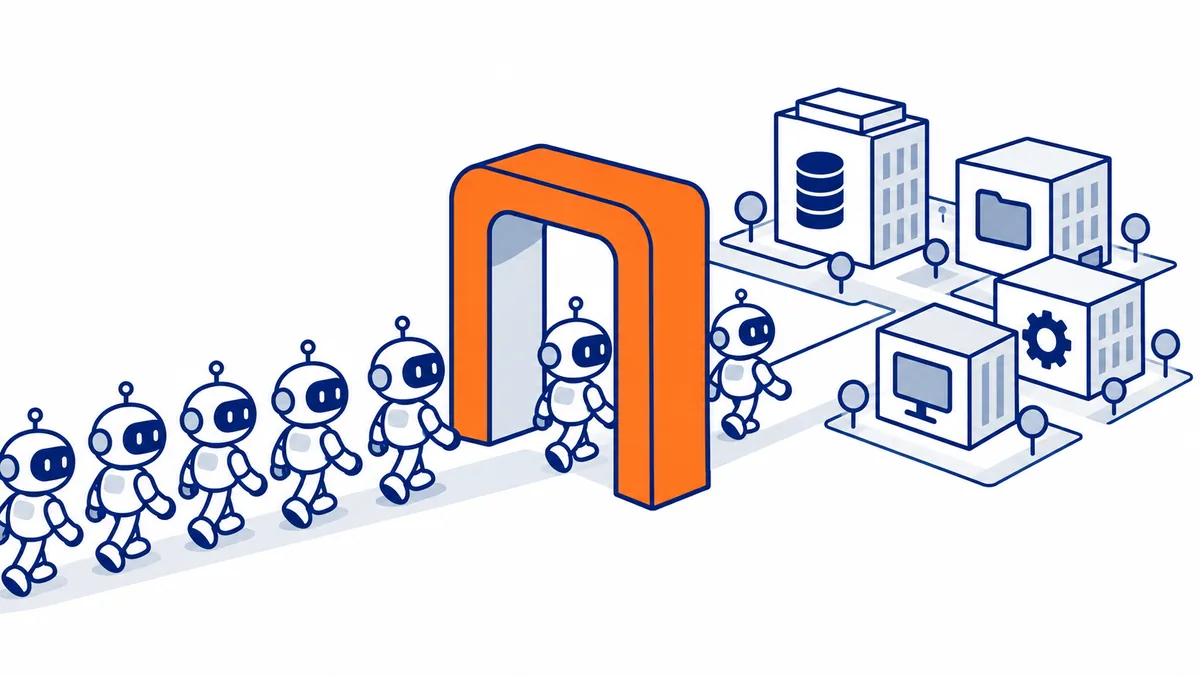
To handle these numbers they built a gateway with a central registry: internal services automatically become MCP tools, with descriptions written by AI and then corrected by those who know the service. External servers go through stricter checks than internal ones, personal data is automatically redacted, and calls that modify critical systems can be blocked. To make agents reliable, those who configure them can set in advance which tools and which parameters to use, instead of letting the model decide.
Where to find MCP servers and how to choose them
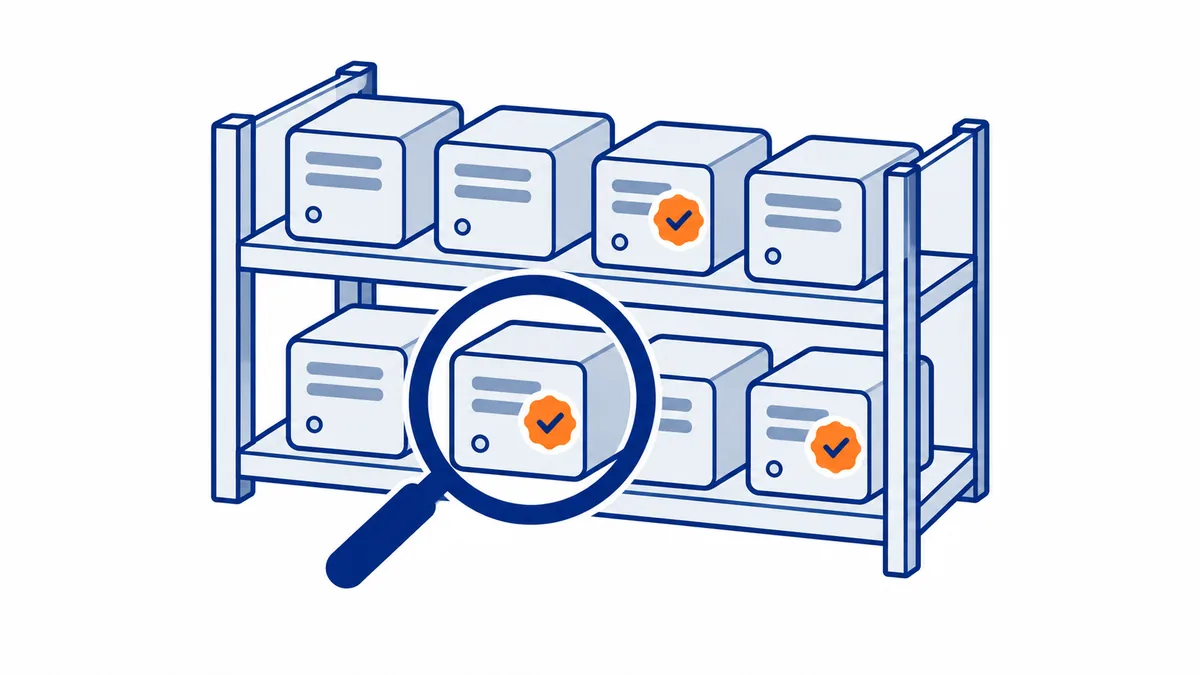
There are thousands of servers: by mid-2026 there were over 10,000 in production, and public directories list almost as many. The hard part is not finding them, it's choosing the reliable ones.
| Where | What you find | Reliability |
|---|---|---|
| Official MCP registry | servers published with vendor signature and verification | highest |
| Claude and ChatGPT connector directories | ready-made connectors, verified by the platform | high |
| The service itself (GitHub, Notion, Stripe…) | its official server, in the documentation | high |
| Community directories (mcp.so, mcpservers.org, PulseMCP…) | huge lists, including hobby projects | verify case by case |
| Any GitHub repository | everything | lowest |
Before installing one:
- is it the official server of the service, or of whoever publishes it?
- is it maintained (recent updates, resolved issues)?
- does it ask only for the permissions it really needs?
- do irreversible actions ask for confirmation?
- is the package name exact, with no swapped letters (fake packages imitate real ones)?
The official guides for building an MCP server
Each platform has its own guide for connecting to or building an MCP server, and they change often: menu names, supported transports, requirements. We check them every day: when an official guide changes, its row below updates automatically.
The official guides for building or connecting an MCP server, platform by platform. We check them every day: when a guide changes, its row updates itself.
| Guide | Servers | Transports | Authentication | Where to configure | Main limits |
|---|---|---|---|---|---|
| Model Context Protocol | |||||
| Build an MCP server How to build a weather MCP server exposing two tools (get_alerts and get_forecast) and connect it to Claude for Desktop via stdio. row updated on 2026-10-13 | local | stdio | In Claude for Desktop's claude_desktop_config.json file, under the mcpServers key. | STDIO server: never write to stdout. Use absolute path in command. Fully restart Claude for Desktop after configuration changes. | |
| Build an MCP client How to build an MCP client that connects to MCP servers, with examples in Python, TypeScript, Java, Kotlin, C#, Ruby, and Rust. row updated on 2026-10-13 | local and remote | stdio, Streamable HTTP | In the client: server script path as command-line argument; in Spring AI via application.yml or JSON configuration file. | Requires language-specific runtime and MCP SDK; Anthropic API key; server launched as child process via stdio or remote HTTP. | |
| Specification changelog Changes to MCP specification from version 2025-11-25 to 2026-07-28. row updated on 2026-10-13 | OAuth 2.0; Dynamic Client Registration deprecated in favor of Client ID Metadata Documents. | Removed protocol sessions and initialize handshake; servers must implement server/discover; results require resultType. | |||
| Anthropic | |||||
| Building custom connectors How to build a remote MCP server for Claude: execution, authentication, exposed content, size and timeout limits, distribution. row updated on 2026-10-13 | remote | Streamable HTTP, HTTP+SSE | OAuth 2.0, static credential (header) or none; supports lazy auth and Enterprise Managed Auth. | Added as custom connector by entering URL, from directory after review, or bundled in a plugin. | Max tool result: ~150,000 chars (hosted) or 25,000 tokens (Code); timeout 240s (hosted) or configurable; OAuth compliant with 2025-03-26/06-18/11-25 specs with correct callback. |
| MCP connector (Claude API) How to connect remote MCP servers directly from Messages API, configure toolsets, OAuth, and SDK helpers for local servers. row updated on 2026-10-13 | local and remote | Streamable HTTP, SSE | OAuth Bearer token passed in authorization_token; caller handles OAuth flow and refresh. | In Messages API request: mcp_servers array for definitions, tools array for toolsets; SDK helpers in code. | Only tool calls supported via connector, no prompts/resources. Server must be public HTTP (Streamable HTTP/SSE). Local STDIO servers cannot be connected directly. |
| Connect Claude Code to tools via MCP How to connect Claude Code to external tools via MCP: HTTP, SSE, stdio, WebSocket servers, OAuth authentication, management. row updated on 2026-10-13 | local and remote | stdio, http, sse, ws | OAuth 2.0 for HTTP/SSE; Authorization header/API key; headersHelper for custom schemes; WebSocket header-only; stdio via env. | Configure via claude mcp add or JSON in .mcp.json/~/.claude.json; manage via /mcp; scopes local/project/user. | Verify server trust (prompt injection); MCP output limited (25k tokens/50k chars); server names and transport type must follow rules. |
| MCP Bundles (Claude Desktop extensions) How to create MCP Bundles (.mcpb) for local MCP servers: manifest spec, mcpb CLI, packaging, and support in Claude desktop. row updated on 2026-10-13 | local | stdio | By opening the .mcpb file with Claude for macOS or Windows; guided installation for local servers. | Node.js recommended to reduce dependencies; traditional Python cannot include compiled dependencies; use UV runtime for Python; prefer static binaries. | |
| OpenAI | |||||
| Building MCP servers for plugins and API integrations How to build a remote MCP server with search and fetch tools to connect a vector store to ChatGPT plugins, deep research, and the API. row updated on 2026-10-13 | remote | SSE | OAuth recommended with Client ID Metadata Documents; ChatGPT supports public client token exchange (none) or signed client assertion (private_key_jwt). | In ChatGPT: Plugins > Add custom MCP server; in the Responses API via tools parameter; in the Prompts dashboard. | Implement only read-only search and fetch tools with the specified schema. Use OAuth with CIMD. Beware prompt injection and write actions; don't put sensitive data in tool definitions. |
| Build an MCP server (ChatGPT plugins) How to build an MCP server for ChatGPT plugins: SDKs, tool definition, results, authentication, deployment, skill import, testing. row updated on 2026-10-13 | remote | Streamable HTTP | OAuth 2.1 for user authentication; OpenAI-managed mTLS to authenticate ChatGPT as client; server-side authorization required. | Connect to ChatGPT via HTTPS endpoint in plugin draft; Scan Tools imports static skills from the server. | Requires stable public HTTPS endpoint for submission; must support streamable HTTP transport; enforce authentication and authorization for private data. |
| MCP servers in the OpenAI API Using remote MCP servers or Secure MCP Tunnel with the Responses API, tool filtering, approvals, OAuth authentication, and security best practices. row updated on 2026-10-13 | local and remote | Streamable HTTP, HTTP/SSE | OAuth access token in the `authorization` field; some servers require no authentication. Token is not stored and must be sent each request. | In the `tools` array of the Responses API, type `mcp`, with `server_url` for remote servers or `tunnel_id` for local servers via Secure MCP Tunnel. | 1) Trust only reputable remote MCP servers (exfiltration risk). 2) Approvals default; configure `require_approval` and `allowed_tools`. 3) Rate limits: 1000 RPM Build, 2000 RPM Launch/Grow. |
| Microsoft | |||||
| Add and manage MCP servers in VS Code Add, configure, and manage MCP servers in VS Code: installation, configuration files, sandboxing, trust, troubleshooting. row updated on 2026-10-13 | local and remote | stdio, http | No built-in authentication; use input variables or env files for API keys. | Extensions view (@mcp), .vscode/mcp.json or .mcp.json, user profile, $COPILOT_HOME/mcp-config.json, devcontainer.json, command line. | 1) Local MCP servers can run arbitrary code; trust only trusted sources. 2) Don't hardcode API keys; use input variables or env files. 3) Sandboxing not available on Windows. |
| MCP developer guide (VS Code) Developer guide on building MCP servers compatible with VS Code: tools, prompts, resources, sampling, OAuth authentication, MCP Apps, installation, registration, debugging. row updated on 2026-10-13 | local and remote | stdio, Streamable HTTP, SSE | OAuth 2.1/2.0 (DCR or client credentials); built-in GitHub and Microsoft Entra support; manage accounts in Accounts menu. | Add via vscode:mcp/install URL, .vscode/mcp.json, global profile, extensions, command line; manage in Extensions view or MCP: List Servers. | MCP Apps: inline display only; send message only fills chat input, does not auto-send; camera/microphone/geolocation not supported. |
| MCP on Windows Overview of Windows On-device Agent Registry for discovering and using local and remote MCP servers, including benefits, connectors, and host quickstart. row updated on 2026-10-13 | local and remote | Via Windows Settings, management tools like Microsoft Intune, and the odr.exe command-line tool. | MCP servers are contained in a separate environment, can only access approved resources, and access is controlled per agent by users/admins. | ||
| Extend your agent with MCP (Copilot Studio) How to extend an agent with MCP: connect existing servers, create new servers, add tools and resources. row updated on 2026-10-13 | remote | In the MCP onboarding wizard in Copilot Studio. | Requires generative orchestration enabled; supports only tools and resources; user responsible for external tools/resources. | ||
| MCP servers with Gemini CLI How to configure and use MCP servers with Gemini CLI: discovery, tool execution, resources, prompts, transports, authentication, management via gemini mcp commands. row updated on 2026-10-13 | local and remote | stdio, SSE, Streamable HTTP | OAuth 2.0 (auto-discovery or manual config), custom HTTP headers, environment variables, Google credentials, and service account impersonation. | In settings.json under mcpServers or mcp, or via gemini mcp add/list/remove/enable/disable commands. | 1) Server names must not contain underscores. 2) OAuth requires a local browser and localhost redirect. 3) Sensitive env vars must be explicitly passed, otherwise redacted. |
| MCP tools in the Agent Development Kit Integrating MCP servers in ADK via McpToolset: connection, tool discovery, resources, authentication, and configuration for Python, TypeScript, Go, Java. row updated on 2026-10-13 | local and remote | stdio, Streamable HTTP, SSE | Supports Bearer, Basic, APIKey, OAuth2 via auth_scheme and auth_credential parameters; automatic Authorization header injection. | Configured in code by adding MCPToolset to the LlmAgent tools list, specifying connection_params. | 1) In production, define McpToolset synchronously in agent.py. 2) Requires Python 3.10+ or Java 17+, Node/npx for community servers. 3) Use tool_filter to limit exposed tools. |
| GitHub | |||||
| Extending Copilot Chat with MCP Configuring MCP servers in Copilot Chat for VS Code, Visual Studio, JetBrains, Xcode, Eclipse; using registry and manual config; creating new servers. row updated on 2026-10-13 | local and remote | stdio, HTTP/SSE | OAuth for remote servers in Visual Studio; PAT/API key via header/env in other IDEs; local servers without credentials. | In Copilot Chat of each IDE: VS Code (.vscode/mcp.json or settings.json); Visual Studio, JetBrains, Xcode, Eclipse via tools panel and mcp.json/registry. | Requires Copilot and specific IDE versions; MCP policy must be enabled for Business/Enterprise (disabled by default); only Registry servers installable via registry, others manual. |
| Cursor | |||||
| Model Context Protocol (MCP) Installation, configuration, and management of MCP servers in Cursor via Customize and mcp.json, including stdio, HTTP/SSE transports and OAuth. row updated on 2026-10-13 | local and remote | stdio, SSE, Streamable HTTP | API keys and tokens via environment variables; OAuth for remote servers, including static credentials in mcp.json. | Customize page, .cursor/mcp.json project file or ~/.cursor/mcp.json global, team dashboard for distribution. | 1) stdio servers local only; 2) envFile not supported for remote servers; 3) Tool approval required unless allowlisted or in Auto-review. |
| Cloudflare | |||||
| Build a remote MCP server Deploying remote MCP servers on Cloudflare using Streamable HTTP, with and without authentication. row updated on 2026-10-13 | remote | Streamable HTTP | None (public server) or OAuth 2.0 via Cloudflare Access or third-party providers (e.g., GitHub). | In Cloudflare dashboard or via Wrangler CLI; endpoint on workers.dev/mcp; OAuth configured with Wrangler secrets and KV. | Requires Cloudflare account and workers.dev; Streamable HTTP transport required; authentication requires OAuth app, KV and secrets. |
| AWS | |||||
| Deploy MCP servers in AgentCore Runtime Create, test locally, and deploy MCP servers with tools on AWS AgentCore Runtime, including remote invocation. row updated on 2026-10-13 | remote | streamable-http | OAuth 2.0 / JWT (CUSTOM_JWT) with Cognito or Auth0; Bearer token in Authorization header. | Using AgentCore CLI: project creation, adding MCP agent, deployment to AWS. | Server must listen on 0.0.0.0:8000/mcp; requires Python 3.10+ and AWS account; OAuth authentication required for remote server. |
Data collected by Protime from the official guides, licensed CC BY 4.0: reuse it citing protime.it. Download the data: JSON · CSV
History and governance: from Anthropic to the Linux Foundation
In less than two years, MCP went from a single company's project to a neutral standard, supported even by the direct competitors of its creator.
| When | What happened |
|---|---|
| August 2026 | Google donates its Agent2Agent protocol to the same foundation; members exceed 250 |
| July 2026 | the 2026-07-28 specification is released: the protocol becomes stateless |
| April 2026 | first MCP Dev Summit North America in New York, around 1,200 attendees |
| mid-2026 | over 10,000 servers in production |
| December 2025 | Anthropic donates MCP to the Linux Foundation's Agentic AI Foundation, co-founded with OpenAI and Block |
| September 2025 | ChatGPT adds MCP support |
| March 2025 | OpenAI officially adopts MCP |
| November 2024 | Anthropic publishes MCP as an open standard |
The foundation provides a neutral home, the same as Kubernetes, Node.js, and PyTorch; technical decisions remain with the protocol maintainers, with public proposals discussed by the community.
How widespread it is. As of April 2026, the co-creator reported 110 million SDK downloads per month, counted also within other vendors' tooling, such as OpenAI and Google agent SDKs that use MCP as a dependency. His comparison: React took about twice as long to reach the same volumes. He adds that most servers are not public: they connect companies' internal systems to agents. (David Soria Parra, The Future of MCP)
What's coming. Among the announced directions: automatic server discovery at standard site addresses, so an agent visiting a site finds its MCP server on its own; skills distributed by the servers themselves along with their tools; the single enterprise access described in the authentication section.
What changes with the July 28, 2026 specification
Version 2026-07-28 is the biggest since launch: MCP becomes stateless, and each request travels on its own like a normal web call. If you read a guide written before August 2026, some parts no longer apply.
| Before (2025-11-25) | From 2026-07-28 | What it means |
|---|---|---|
| An initial "handshake" (initialize) and a session | each request carries version and capabilities in the _meta field |
servers scale easily, like a normal website |
| The server could ask the client questions mid-task | multi-step requests: the server responds "I need this" and the client calls back | flows are simpler to manage |
| Tool lists tracked with an open connection | lists with an indication of how long they remain valid | less traffic, more caching |
| Dynamic client registration (DCR) | client information metadata documents (CIMD), DCR being phased out | stronger authorization |
| Experimental features in the protocol | a formal extension system | the core stays small |
Previous versions remain supported: the main SDKs (TypeScript, Python, Go, C#) read both the old and the new format, so existing servers don't stop working overnight.
Why "stateless" matters, with an example. Before, the server created a session on the first request. With three copies of the same server behind a load balancer, the next request could land on a copy that had never seen that session: "session not found" error. The workarounds were awkward (always routing the same user to the same copy, or a database just for sessions). Now any copy answers any request, and a server can shut down when no one is using it on platforms like Cloudflare Workers or Google Cloud Run, costing less. (Better Stack)
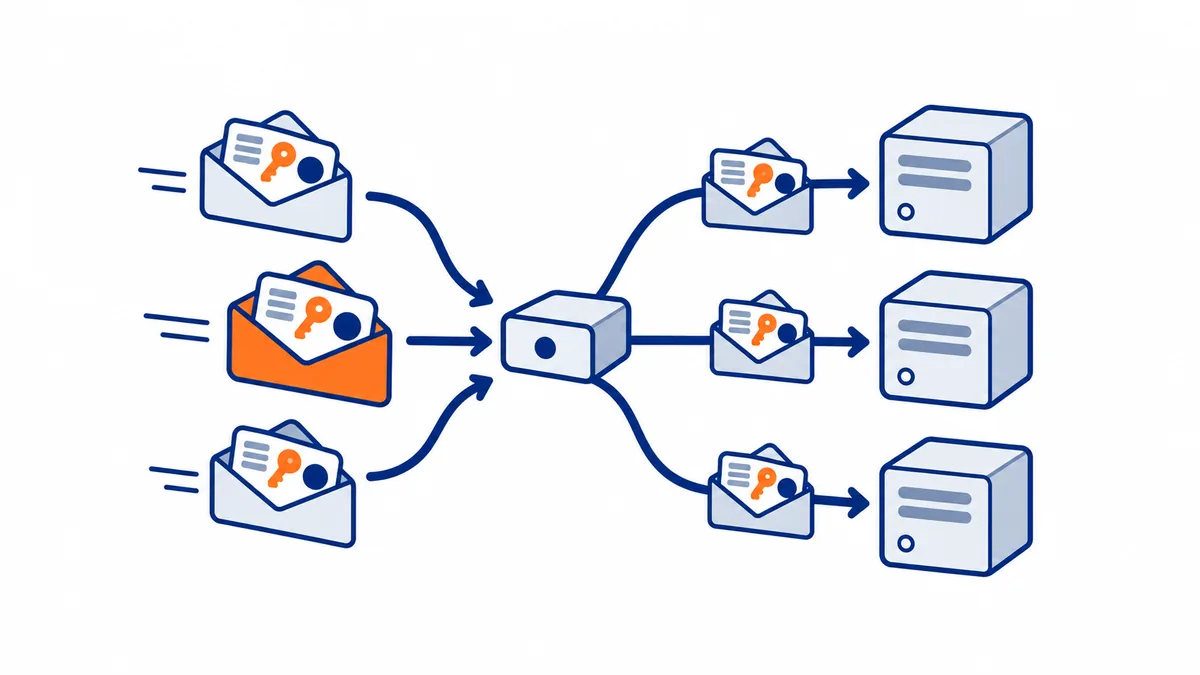
Other changes with a practical effect:
- Readable HTTP headers (
Mcp-Method,Mcp-Name): a firewall or rate limiter understands what is being requested without reading the body. - State, when needed, is managed by the tool: for example, it returns a cart identifier, and the model passes it back to subsequent calls as a normal parameter.
- No questions out of nowhere: before, the server could send a request to the user at any time. Now it responds "I need this data" (input required) with all the context to resume, the client asks the user, and repeats the request. Clearer for the person using the app, and safer.
- Long-running work: a refund or an hours-long processing job becomes a task that the client checks whenever it wants, without keeping the conversation tied up.
- Time to adapt: deprecated features remain supported for at least 12 months, and the main SDKs have moved to version 2.
Watch out for recent guides. Even videos published in September 2026 still describe MCP as a protocol with sessions: before following a tutorial, check which version of the specification it uses.
Security: the real risks
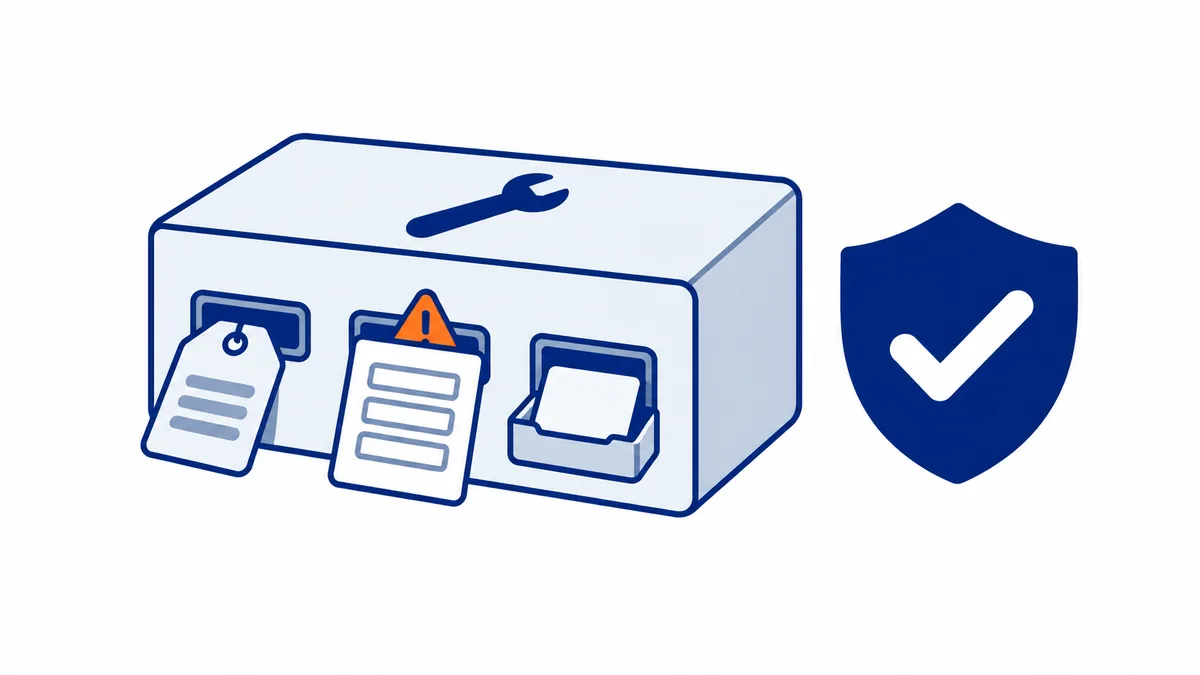
An MCP server turns text into a real action, so its security depends on how it is built, not just on the protocol. In the first 60 days of 2026, more than 30 official vulnerabilities (CVEs) were recorded on MCP servers, 43% of which allowed command execution.
| Risk | What happens | Defense |
|---|---|---|
| Tool poisoning | the description of a tool contains hidden instructions that the AI reads and the user does not | official servers, pinned versions, reviewed descriptions |
| Prompt injection from results | an email, a ticket, or a web page returned by a tool contains orders for the AI | treat results as data, confirm sensitive actions |
| "Rug pull" | a server presents harmless tools when you approve it and changes them later | pin the version, review changes |
| Fake packages | a name almost identical to the official one | verify the publisher and the exact name |
| Servers exposed without access control | anyone who finds the address can use it | mandatory authentication, never open servers on the internet |
| Overly broad permissions | the tool can do more than necessary | minimal, revocable permissions |
Practical rules for anyone using a server:
- only official servers or verified publishers
- mandatory confirmation for deletions, payments, submissions
- minimal permissions, and a quick way to revoke them
- never connect, without oversight, a server that reads external data (email, web) to one that performs important actions
Where an attack enters: three doors. A CyberArk researcher told Nullcon Berlin how a simple weather server made him leak his GitHub key, and identified the three points where a server's text reaches the model (Nullcon):
- The tool description. It is added to every message, so the attack can trigger even without using the tool: in his demo, just writing "thank you" was enough.
- The parameter schema. Even a parameter name or the
titlefield can contain instructions. - The tool result. The real case: the server was honest, but the external weather API it queried returned an error message with hidden instructions. Anyone using a server also trusts the services the server calls.
The defenses he proposes: read the descriptions before installing, typed results (a weather server should return a number, not free text), mark results as data and not as instructions, and a small model that checks them.
Why it cannot be solved at the root. SQL injection has been solved since 1998 by separating instructions and data. A language model, instead, reads everything as a single text: it has no structural way to distinguish the user's order from a sentence inside an email. That is why the defense is not "prevent deception" but limit what the agent can do if it is deceived. The documented case: a Google automation that used AI to triage reports on GitHub published its own secret keys if someone wrote the right instructions inside a report. The same flaw existed in five other Fortune 500 companies. The fix: for the AI that reads untrusted text, no keys and no tools that modify. (NDC Conferences)
Security rules, already applied. MCP DeskManager uses an encrypted tunnel, OAuth authentication, a separate revocable key for each assistant, and asks for confirmation for operations that cannot be undone.
Discover MCP DeskManager DocumentationMCP compared
MCP does not replace APIs and does not do everything: it is the layer that makes them usable by an artificial intelligence.
| What it is | Relationship with MCP | |
|---|---|---|
| API | the way a program talks to a service, each with its own rules | an MCP server usually calls an API and translates it into tools the AI understands |
| A2A (Agent2Agent) | Google's standard for making different AI agents talk to each other | complementary: MCP connects an agent to its tools, A2A connects agents to each other; since 2026 they are in the same foundation |
| Computer use | the AI watches the screen and uses mouse and keyboard like a person | MCP is faster and more precise where a tool exists; computer use covers programs that only have a screen |
| Plugins and custom GPTs | extensions tied to a single platform | MCP is the open version: the same server works on multiple assistants |
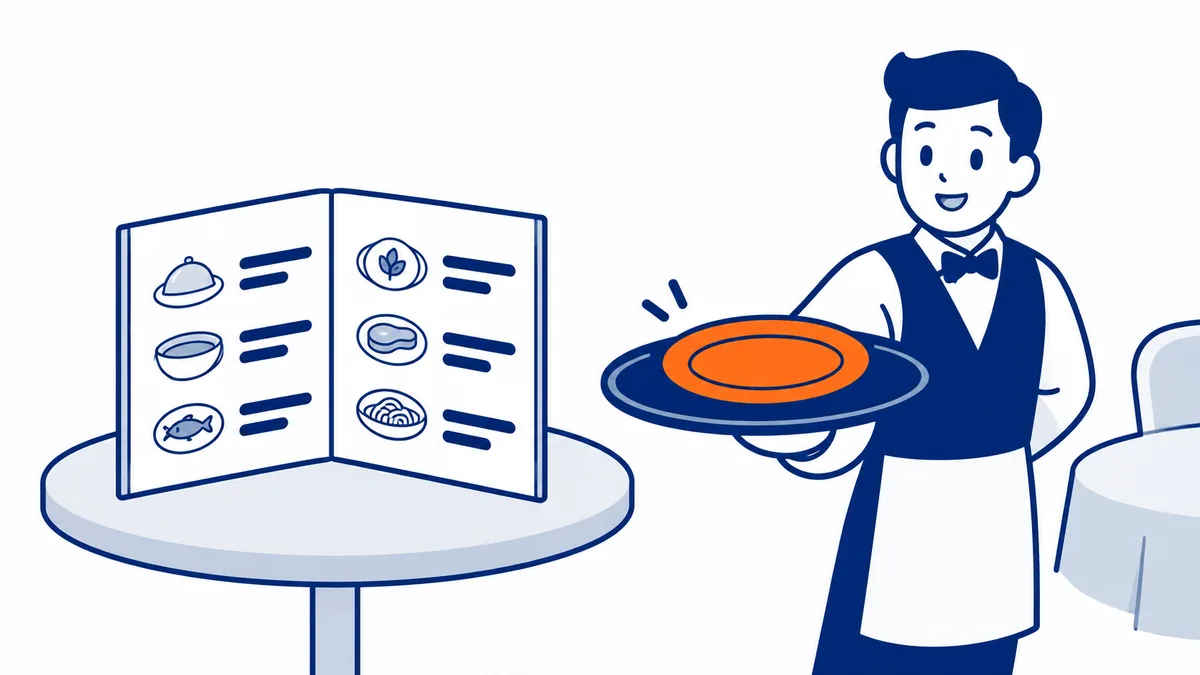
MCP and APIs are not rivals, they are layers. Often an MCP server is precisely a wrapper around an API: the GitHub server translates each tool into a call to GitHub's REST API. The real differences are two: MCP allows you to discover capabilities while it runs (the client asks "what can you do?" and adapts, without updating the code), and every server speaks the same way, while five APIs require five different adapters. (IBM Technology) An effective image: the API is the restaurant's printed menu, MCP is the waiter who tells you what is available today, including the dish the chef added a minute ago. (TechWorld with Nana)
Two caveats that clarify expectations:
- MCP does not give more powers than the API. If a service's API only allows reading, its MCP server will also only be able to read.
- Translating an API as-is is not enough. The co-creator says it bluntly: turning every REST call into an MCP tool produces servers that are awkward for the model. A good server is designed for the agent, thinking about how a person would use it.
When MCP is really needed. According to the co-creator there is no single solution: a 2026 agent uses together skills (domain instructions), command line, computer use and MCP. The command line works well for a local agent with tools already known to the model, like Git. MCP is needed when you need interfaces, long-running tasks, resources, platform independence, authorizations and business rules. (David Soria Parra, The Future of MCP)
Want to understand how to use it in your work? Tell the assistant what you do on the computer: it will tell you which MCP servers you need and how to connect them.
Ask the assistantFurther reading
- ChatGPT MCP on Windows: How to Connect Your PC
- Claude Computer Use vs MCP: Which One to Use
- Control Your PC From Your Phone With AI: 4 Ways
- Control Your PC with Claude: Every Way Compared
- Install MCP on Windows: 4 Methods, Easiest First
- MCP Server on Windows: Every Option Compared
Frequently asked questions
What does MCP mean?
Model Context Protocol: a protocol, that is, a set of common rules, for giving AI models the context and tools they need.
Is MCP by Anthropic?
Anthropic created it in November 2024, but since December 2025 it belongs to the Agentic AI Foundation of the Linux Foundation, with OpenAI, Google, Microsoft, and AWS among its supporters.
Do you need to know how to code to use an MCP server?
To use one, no: you add it from a menu or with a click. To build one, yes, using the official SDKs in TypeScript, Python, Go, C#, and other languages.
Is MCP free?
The protocol is open and free. Individual servers can be free, open source, or paid.
What is the difference between an MCP server and a connector?
It is the same thing seen from two sides: "server" is the program, "connector" is the name Claude and ChatGPT give to the connection with that server.
Does MCP work with models other than Claude?
Yes: ChatGPT, Gemini, Copilot, Cursor, VS Code, and dozens of other clients support it.
Is it safe?
As safe as the server you use: with official servers, minimal permissions, and confirmation on important actions, yes; any random server found online can be dangerous.
Where MCP DeskManager fits
MCP DeskManager is an MCP server for Windows that turns your PC into an assistant tool: terminal, files, browser, and programs, usable from Claude or ChatGPT in any chat, even from your phone. It runs on your computer but is reachable remotely through an encrypted tunnel with authentication, a separate key for each assistant, and confirmation for operations that cannot be undone.
It makes sense if you want to use your PC from anywhere without configuring ports, certificates, and access manually. If you only need to work sitting at your computer with Claude Desktop, a free local extension may be enough.
Want to use your PC from Claude or ChatGPT, from any chat? MCP DeskManager is a remote MCP server for Windows, with tunnel, HTTPS, and authentication already set up.
Discover MCP DeskManager MCP server on Windows: the options